
Anúncios
Imagine transforming your smartphone into a powerful measuring tool capable of calculating distances, heights, and dimensions with just a few taps on the screen.
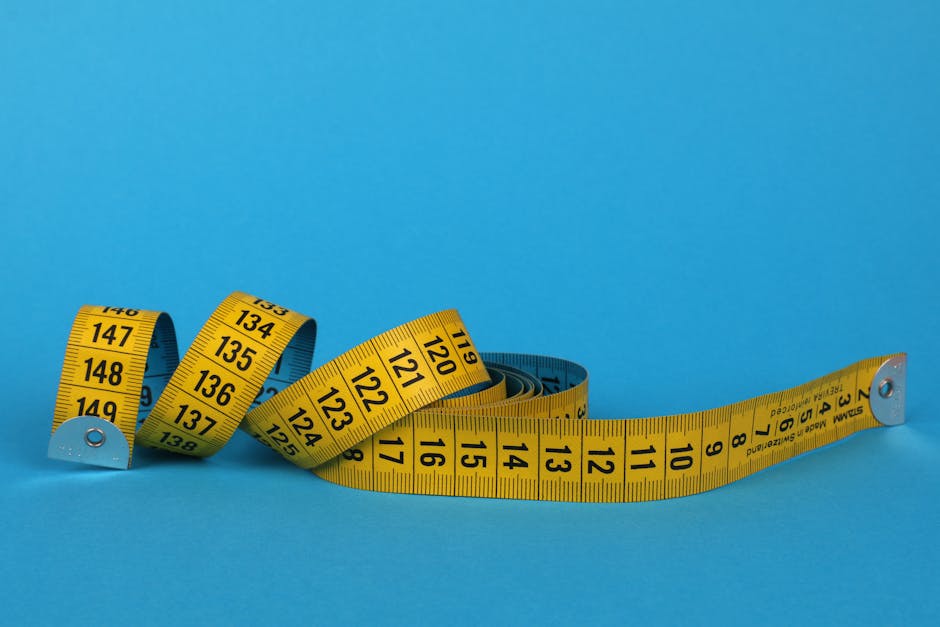
Gone are the days when measuring a room required bulky tape measures, awkward angles, and a second person to hold the other end.
Anúncios
Today’s technology brings augmented reality and smart sensors directly to your pocket, making everyday tasks surprisingly simple and accurate.
Whether you’re planning a home renovation, shopping for furniture online, or simply curious about the height of that mysterious door frame, digital measuring apps eliminate guesswork and save valuable time.
Anúncios


Let’s explore how these innovative tools work and which ones deserve a spot on your home screen.
📱 How Smart Measuring Apps Actually Work
Modern smartphones pack incredible technology into compact devices. The magic behind measuring apps lies in combining your phone’s camera, gyroscope, accelerometer, and advanced algorithms that interpret spatial data in real-time.
Most apps utilize augmented reality (AR) frameworks like ARKit for iOS and ARCore for Android. These systems map your physical environment by detecting flat surfaces, tracking movement, and calculating distances based on visual reference points captured through your camera lens.
The process feels almost effortless. You simply point your camera at an object, tap to mark a starting point, move your device to the endpoint, and tap again. The app instantly displays the measurement overlaid on your screen, converting complex calculations into user-friendly numbers.
Accuracy typically ranges from 95% to 98% for everyday measurements, making these tools reliable for most practical purposes. Professional contractors might still prefer traditional tools for critical measurements, but for home projects and quick checks, smartphone apps deliver impressive precision.
🏗️ Perfect Scenarios for Using Measuring Apps
Digital tape measure apps shine in countless real-world situations where pulling out a physical measuring tool would be inconvenient or impossible. Understanding when to reach for your phone instead of a traditional tape measure can revolutionize your approach to everyday challenges.
Furniture Shopping Made Effortless
Wandering through furniture stores or browsing online catalogs becomes stress-free when you can instantly measure available space. Check if that beautiful sofa will fit through your doorway, verify table dimensions against your dining room, or confirm shelf spacing before making purchases.
No more sticky notes with scribbled measurements or trying to remember dimensions from memory. Your phone keeps accurate records, often allowing you to save measurements with photos for future reference.
Home Improvement and Renovation Projects
Planning to paint a room? Need to estimate wallpaper quantities? Measuring apps calculate wall areas, ceiling heights, and floor dimensions within seconds. This information helps you purchase the right amount of materials, avoiding costly overages or frustrating shortages.
For smaller projects like hanging artwork, installing shelves, or positioning mirrors, quick measurements ensure perfect placement without multiple trips to fetch your tape measure.
Real Estate and Property Management
Property managers, real estate agents, and landlords find these apps invaluable for documenting room dimensions, creating floor plans, and verifying property details during inspections. Tenants can measure spaces before moving furniture or planning layouts.
The ability to capture measurements alongside photos creates comprehensive documentation that proves useful during disputes, insurance claims, or property listings.
Daily Problem-Solving Moments
Countless spontaneous situations benefit from instant measuring capability. Will your car fit in that parking spot? Can you squeeze a new appliance through the hallway? How tall is that tree in your backyard? Your smartphone provides answers immediately, wherever you are.
🎯 Top Features to Look for in Measuring Applications
Not all measuring apps deliver equal performance. Knowing which features matter most helps you choose tools that match your specific needs and usage patterns.
Multiple Measurement Modes
Quality apps offer various measurement types beyond simple point-to-point distances. Look for capabilities including horizontal and vertical measurements, height detection from ground level, angle calculations, and area measurements for floors and walls.
Advanced apps even provide volume calculations for three-dimensional spaces, perfect for estimating storage capacity or material quantities.
Unit Conversion and Customization
Seamless switching between metric and imperial units proves essential, especially when following instructions or specifications written in different measurement systems. The best apps remember your preferences and display results in your chosen format automatically.
Photo Integration and History
Taking photos with measurements overlaid directly on images creates visual records that capture context alongside numbers. This feature transforms your phone into a documentation powerhouse, storing measurement history for future reference.
Search through past measurements, export data to other applications, or share results with contractors, friends, or family members without confusion.
Calibration Options
While modern AR technology works remarkably well out of the box, calibration features let you fine-tune accuracy for critical measurements. Some apps allow you to verify measurements against known distances, adjusting algorithms for even better precision.
📐 Maximizing Accuracy: Expert Tips and Techniques
Understanding how to use measuring apps properly dramatically improves result accuracy. Small technique adjustments often mean the difference between approximate estimates and reliable measurements.
Lighting Conditions Matter
AR tracking systems rely heavily on visual information. Measuring in well-lit environments with clear contrast helps your phone identify surfaces and edges more accurately. Avoid extremely bright sunlight that causes glare or very dim spaces where details disappear.
Natural daylight or consistent artificial lighting produces the best results. If measurements seem inconsistent, try adjusting your position relative to light sources.
Steady Hands Create Better Results
While apps compensate for minor movements, maintaining steady control during measurements improves precision. Brace your phone hand against your body or a stable surface when marking endpoints.
Take your time moving between points. Rushing creates motion blur and confuses tracking systems, leading to inaccurate calculations.
Surface Detection and Reference Points
Most AR measuring apps work best on flat, textured surfaces with visible patterns. Plain white walls or highly reflective surfaces sometimes challenge tracking algorithms. When possible, measure against areas with visual detail.
Starting measurements from clearly defined edges or corners rather than middle-of-surface points typically yields more accurate results.
Verify Critical Measurements
For important projects where precision matters, measure twice using different approaches. Take multiple measurements of the same distance and average the results, or verify app measurements against a physical tape measure for critical dimensions.
Remember that smartphone apps excel at convenience and speed, but traditional tools still reign supreme when absolute precision determines project success or failure.
🛠️ Practical Applications Beyond Basic Measuring
Creative users discover measuring apps offer functionality extending far beyond simple distance calculations. These versatile tools adapt to surprising situations with a bit of imagination.
DIY Projects and Crafts
Makers, crafters, and DIY enthusiasts use measuring apps for pattern creation, material estimation, and project planning. Calculate fabric quantities for sewing projects, determine wood dimensions for carpentry, or verify spacing for photo galleries on walls.
The instant feedback loop encourages experimentation. Try different layouts virtually before committing to permanent changes.
Fitness and Sports
Athletes measure jump heights, track workout equipment dimensions, and calculate distances for training purposes. Parents measure playground equipment safety zones or estimate yard dimensions for backyard sports setups.
Photography and Videography
Calculating shooting distances helps photographers understand lens behavior and plan compositions. Videographers measure room dimensions for lighting setups and equipment positioning.
Education and Learning
Teachers demonstrate mathematical concepts through real-world measuring activities. Students verify geometry problems, explore architectural proportions, or investigate scale relationships using interactive smartphone tools.
The combination of technology and hands-on learning creates engaging educational experiences that resonate with digital-native learners.
🔍 Common Challenges and How to Overcome Them
Even the best measuring apps encounter occasional difficulties. Recognizing common issues and knowing solutions ensures consistent performance across different situations.
Inconsistent Results on Certain Surfaces
Glass, mirrors, and highly polished surfaces reflect light unpredictably, confusing AR tracking systems. When measuring near these materials, focus your starting and ending points on adjacent non-reflective surfaces instead.
Transparent objects like windows pose similar challenges. Measure to the frame rather than the glass itself for reliable results.
Large Distances and Outdoor Measurements
AR accuracy typically decreases over longer distances, especially beyond 15-20 feet. For larger spaces, break measurements into smaller segments and add results together, or switch to apps specifically designed for outdoor distance calculation using different technologies.
Device Compatibility and Updates
Older smartphones may lack AR capability or provide reduced accuracy compared to newer models. Keeping your operating system and apps updated ensures access to the latest algorithms and performance improvements.
Check app requirements before downloading to verify compatibility with your specific device model.
🌟 Integrating Measuring Apps Into Your Daily Routine
The true value of smartphone measuring tools emerges when they become natural reflexes rather than novelty features. Building habits around these apps transforms how you approach everyday situations.
Start small by using your measuring app for one specific recurring task. Maybe check package dimensions before trips to the post office, or verify appliance measurements when shopping. As confidence grows, you’ll naturally reach for your phone whenever measurement questions arise.
Organize saved measurements into folders or categories. Create collections for different rooms in your house, ongoing projects, or furniture shopping references. This organizational approach turns your phone into a comprehensive measurement database accessible anywhere.
Share your discoveries with friends and family. Teaching others how to use measuring apps spreads practical knowledge while reinforcing your own skills. You might be surprised how many people remain unaware these capabilities exist on devices they use daily.

💡 Future Developments in Smartphone Measuring Technology
The measuring app landscape continues evolving rapidly as smartphone hardware advances and artificial intelligence becomes more sophisticated. Understanding emerging trends helps you anticipate even more powerful tools on the horizon.
LiDAR sensors, already present in some premium smartphones, deliver extraordinary precision by measuring distances using laser light. As this technology becomes standard across more devices, measuring accuracy will rival professional equipment while maintaining smartphone convenience.
Machine learning algorithms increasingly recognize objects automatically, suggesting appropriate measurement types and flagging potential accuracy issues before they affect results. Future apps might identify what you’re measuring and adjust techniques accordingly without manual intervention.
Cloud integration and collaborative features will likely expand, allowing teams to share measurements in real-time during construction projects or property evaluations. Imagine multiple people contributing to a shared floor plan simultaneously from different locations.
Integration with other smart home technologies creates exciting possibilities. Measure your window, and your phone automatically suggests compatible smart blinds. Scan your living room, and furniture retailers show products guaranteed to fit your space perfectly.
✨ Embracing the Convenience of Pocket-Sized Precision
The transformation from bulky tape measures to sleek smartphone apps represents more than technological novelty. These tools democratize precision measurement, making capabilities once requiring expensive equipment accessible to anyone with a phone.
Whether tackling major renovation projects, solving everyday spatial puzzles, or simply satisfying curiosity about the world around you, digital measuring apps deliver practical value wrapped in remarkable convenience.
The learning curve remains gentle, the cost stays minimal, and the applications stretch as far as your imagination. Your next measurement challenge doesn’t require a trip to the toolbox—just reach into your pocket and let your smartphone show you the way.
Start exploring these powerful applications today. Download a measuring app, experiment with different features, and discover how quickly digital measurements become an indispensable part of your everyday toolkit. The future of measuring has arrived, and it fits perfectly in your hand.
