
Anúncios
Is your smartphone constantly running out of space? Discover how specialized apps can free up memory instantly and boost performance!
We’ve all been there—trying to capture a perfect moment only to see that dreaded “Storage Full” notification pop up. Your phone slows down, apps crash unexpectedly, and even basic tasks become frustrating.
Anúncios
The good news? You don’t need to delete your precious memories or invest in a new device.
Modern storage optimization apps have revolutionized how we manage our smartphones. These intelligent tools automatically identify junk files, duplicate photos, unused apps, and hidden caches that silently consume valuable space.
Anúncios


Let’s explore how you can reclaim gigabytes of storage and transform your sluggish device into a lightning-fast powerhouse! 📱✨
Why Your Phone Keeps Running Out of Space 🤔
Understanding the root causes of storage issues is the first step toward solving them. Most smartphone users don’t realize that their devices accumulate digital clutter daily, much like dust settling on furniture.
Cache files from apps like Instagram, TikTok, and WhatsApp pile up over time. Each video you watch, story you view, and message you send creates temporary files that rarely get deleted automatically. Social media apps are notorious storage hogs, with some accumulating several gigabytes of cache within months.
Duplicate photos represent another major culprit. When you burst-shoot to capture the perfect shot, your phone saves every single image. Those screenshot conversations, memes shared in group chats, and accidentally saved pictures add up quickly. Most people carry hundreds of duplicate or similar images without realizing it.
Downloaded files often go forgotten in your device’s depths. PDFs from emails, installation files from apps, random documents, and media files from messaging apps create a digital landfill. These files serve no purpose after their initial use but continue occupying precious space.
The Real Impact of Storage Overload on Performance 📉
A full storage drive doesn’t just prevent you from taking photos—it dramatically affects your entire smartphone experience. When storage capacity reaches 85-90%, operating systems struggle to function efficiently.
Your phone needs free space to perform essential operations. Apps require temporary storage to process data, updates need room to download and install, and the system itself uses available space for caching and optimization. Without adequate free space, everything slows down considerably.
Battery life suffers when storage is maxed out. Your processor works harder to manage limited resources, generating more heat and consuming more power. Apps take longer to open, forcing your device to maintain high performance states for extended periods.
App crashes become frequent because applications can’t create necessary temporary files. You might experience random restarts, frozen screens, and unresponsive interfaces. Even simple tasks like sending messages or browsing the internet become painfully slow.
How Storage Optimization Apps Actually Work 🔧
These specialized applications employ sophisticated algorithms to analyze your device comprehensively. They scan every folder, directory, and partition to identify files that can be safely removed or compressed.
Smart categorization is their superpower. These apps differentiate between essential system files and expendable data. They identify large videos, old downloads, residual files from uninstalled apps, and advertising caches that serve no functional purpose.
Many premium cleaners use AI-powered photo analysis. They detect duplicate images, blurry shots, and similar photos taken in succession. Some even recognize screenshots and memes that you’ve likely already shared or saved elsewhere.
Safe cleaning protocols ensure that important data remains untouched. Reputable apps won’t delete documents, contacts, messages, or any files that could impact functionality. They focus exclusively on genuine junk—the digital equivalent of taking out the trash.
Key Features to Look for in Cleaning Apps 🎯
Not all storage optimization tools are created equal. The most effective solutions offer comprehensive feature sets that address multiple aspects of device management.
Automatic cache cleaning should top your priority list. This feature regularly removes temporary files from apps, browsers, and system processes without manual intervention. Set it to run weekly, and you’ll maintain optimal storage levels effortlessly.
Duplicate photo detection uses advanced image recognition to find identical or near-identical pictures. The best apps show side-by-side comparisons, allowing you to choose which version to keep based on quality, resolution, or preference.
Large file identification helps you quickly locate space-hogging content. These tools list your biggest files and folders, making it easy to find that forgotten 2GB video or rarely-used game taking up massive storage.
App management tools reveal which applications consume the most space and resources. You can identify rarely-used apps, clear app caches individually, or uninstall bloatware that came pre-installed on your device.
Storage analytics provide visual breakdowns of space usage. Colorful charts and graphs show exactly where your storage goes—photos, videos, apps, documents, or system files. This transparency helps you make informed decisions about what to prioritize.
Step-by-Step Guide to Freeing Up Space Today 📋
Ready to reclaim your storage? Follow this systematic approach to maximize results without accidentally deleting important content.
Step 1: Download a Trusted Cleaner App
Choose a well-reviewed storage optimization tool from official app stores. Read recent reviews and verify the developer’s reputation. Avoid apps requesting excessive permissions unrelated to storage management.
Step 2: Run a Complete Device Scan
Launch the app and initiate a full system analysis. This process typically takes 2-5 minutes depending on your storage capacity. The app will catalog junk files, cache data, duplicates, and large files.
Step 3: Review Recommended Deletions
Don’t just tap “Clean All” blindly. Review what the app suggests removing. Most tools categorize findings—cache files are always safe to delete, while duplicates and large files require your judgment.
Step 4: Clear App Caches First
This is the safest starting point. Clearing cache won’t delete app data, login credentials, or saved information—it only removes temporary files. You’ll likely free up 1-3 GB instantly, sometimes more with heavy social media usage.
Step 5: Tackle Duplicate Photos
Use the duplicate detection feature to browse similar images. The app typically highlights differences and recommends which version to keep. Take your time here—memories are irreplaceable, but obvious duplicates waste valuable space.
Step 6: Identify and Remove Large Files
Sort files by size and review the biggest space consumers. Old downloaded videos, installation APKs, and large PDFs often serve no purpose. Delete what you don’t need, and back up important large files to cloud storage.
Step 7: Uninstall Unused Applications
Be honest about apps you haven’t opened in months. That language learning app collecting dust or the game you played once? They’re consuming hundreds of megabytes for no reason. You can always reinstall if needed.
Organizing Photos Without Losing Precious Memories 📸
Photos typically consume 40-60% of smartphone storage. Managing this category effectively creates the most dramatic space improvements while preserving your digital memories.
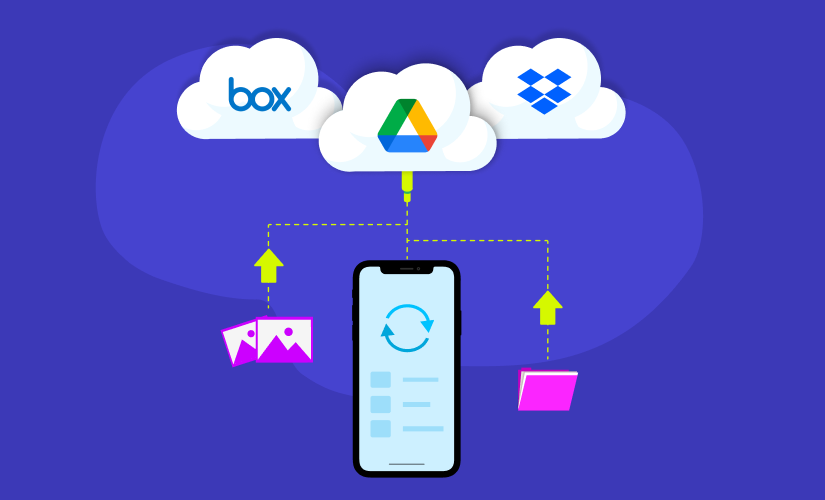
Cloud backup services should be your first line of defense. Google Photos, iCloud, OneDrive, and Amazon Photos offer automatic backup options. Once photos are safely stored in the cloud, you can remove local copies, freeing gigabytes while maintaining access through the cloud app.
Album organization makes manual management easier. Create albums for events, trips, people, or themes. This structure helps you quickly identify which photos matter most and which can be deleted or archived.
Quality assessment tools in premium apps analyze photo sharpness, exposure, and composition. They flag blurry images, poorly lit shots, and accidental captures that you probably want to delete anyway. This automated quality control saves hours of manual sorting.
Screenshot management deserves special attention. We all accumulate hundreds of screenshots—recipes, directions, memes, confirmations, and random information. Most become obsolete within days. Dedicate 15 minutes monthly to purging screenshot clutter.
Maintaining Long-Term Storage Health 🌟
Cleaning your phone once isn’t enough—sustainable practices prevent storage issues from recurring. Implement these habits to maintain optimal device performance indefinitely.
Schedule weekly automatic cleanings. Most apps offer scheduled maintenance that runs in the background without user intervention. Set it for Sunday evenings or Saturday mornings when you’re less likely to actively use your device.
Enable automatic cloud backup for photos and videos. Configure your preferred cloud service to upload new media automatically when connected to Wi-Fi. This creates real-time protection while preventing local storage accumulation.
Monitor app behavior regularly. Check which applications consume the most storage monthly. If an app’s storage footprint grows disproportionately, clear its cache or investigate settings to limit offline downloads and cached content.
Download consciously and delete promptly. Before downloading files, videos, or apps, ask yourself: “Do I really need this locally?” After using downloads, delete them immediately rather than letting them accumulate indefinitely.
Utilize streaming services instead of local storage. Music streaming, cloud-based document editing, and online photo galleries reduce the need to store everything on your device. This modern approach maximizes functionality while minimizing storage consumption.
Boosting Overall Device Performance Beyond Storage 🚀
While storage optimization dramatically improves responsiveness, complementary strategies enhance overall smartphone performance even further.
RAM management apps work alongside storage cleaners to optimize memory usage. They close background apps consuming resources unnecessarily, freeing up RAM for active tasks. This combination delivers noticeably smoother multitasking and faster app switching.
Regular software updates shouldn’t be ignored. Manufacturers optimize system efficiency with each update, often reducing storage footprints and improving resource management. Keep your operating system and apps updated to benefit from these enhancements.
Disable animations and reduce visual effects in settings. While aesthetically pleasing, these features consume processing power and RAM. Reducing or disabling them makes your interface feel snappier, especially on older devices.
Limit background app refresh for applications you don’t need updating constantly. Social media, news, and shopping apps often refresh content in the background, consuming data, battery, and processing power. Restrict this feature to essential apps only.

Privacy and Security Considerations 🔒
When granting apps access to your device’s storage, understanding privacy implications is crucial. Not all cleaning apps handle your data responsibly.
Verify permissions carefully before installation. Storage cleaners need access to files and media, but they shouldn’t require contacts, call logs, or location data. Excessive permission requests signal potential privacy concerns.
Research the developer’s privacy policy. Reputable companies clearly state how they handle user data. They should specify that file analysis occurs locally on your device without uploading content to external servers.
Avoid apps with aggressive advertising or suspicious behavior. If a “free” cleaner bombards you with intrusive ads, installs unwanted apps, or demands payment for basic features, uninstall it immediately. Quality optimization tools exist that respect user experience.
Consider open-source alternatives when possible. Open-source cleaning apps allow community scrutiny of their code, ensuring transparency and trustworthiness. While sometimes less polished visually, they often provide robust functionality without privacy compromises.
Real User Results: What to Expect 💪
Understanding realistic outcomes helps set proper expectations when beginning your storage optimization journey. Results vary based on device age, usage patterns, and current storage situation.
First-time cleaners typically recover 2-5 GB of space immediately. Heavy social media users and photo enthusiasts often see even more dramatic results—sometimes 10+ GB from cache clearing and duplicate removal alone.
Performance improvements manifest within hours. You’ll notice faster app launches, smoother scrolling, quicker photo capture, and more responsive interfaces. These changes become particularly obvious during multitasking or resource-intensive activities.
Battery life often improves by 10-20% as your device operates more efficiently. Less struggle with storage management means reduced processor strain, lower temperatures, and extended battery longevity between charges.
Camera functionality becomes reliable again. No more missed moments due to storage warnings. You’ll confidently capture photos and videos knowing your device has adequate space for everything important.
Making the Smart Choice Today 🎁
Your smartphone should enhance your life, not frustrate you with constant storage warnings and sluggish performance. The solution isn’t buying a new device or deleting precious memories—it’s implementing smart storage management with specialized optimization tools.
These apps work tirelessly in the background, maintaining your device’s health without requiring technical expertise. They identify problems you didn’t know existed and solve them with simple, guided processes.
The investment of 10 minutes today yields months of smooth, frustration-free smartphone usage. You’ll rediscover the joy of capturing spontaneous photos, downloading new apps without hesitation, and navigating your device at the speed it was designed to operate.
Don’t let preventable storage issues diminish your smartphone experience another day. Download a trusted storage optimization app now and transform your device’s performance immediately. Your future self—and your smartphone—will thank you! 🌈📲
